Samsung Dishwasher LC Code: Why It Appears With No Visible Leak
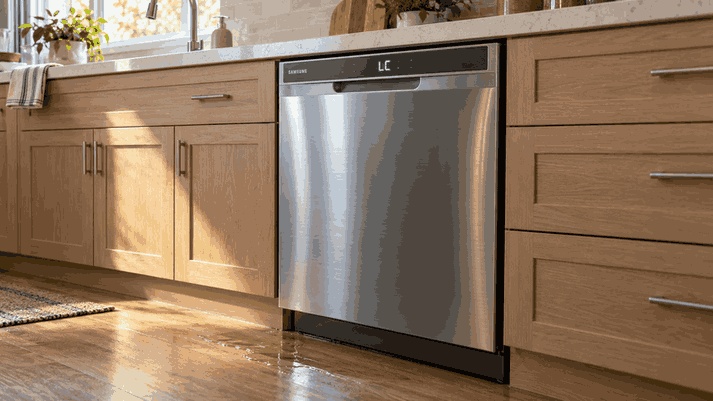
The Samsung dishwasher LC code means the leak sensor has detected moisture. Water does not have to reach your kitchen floor for this warning to appear. Stop normal use, disconnect power safely, and check for an accessible source of moisture before assuming the sensor needs replacement.
Why Is the Dishwasher Draining When It Is Turned Off?
LC activates a protective response. The dishwasher may turn itself on and attempt to drain even when you are trying to switch it off. Samsung also identifies a blocked water reflector as a possible explanation on WaterWall models. Check your model before applying general advice. Samsung’s dishwasher code reference explains this behavior.
Do not interpret a running drain pump as proof that the pump itself has failed. When requesting help, distinguish between a pump running continuously and a dishwasher that simply leaves water after a cycle.
Samsung Dishwasher LC Code but No Leak: What Could Explain It?
Moisture underneath the appliance
A dry floor does not show what is happening near the sensor. Water can be present outside your normal viewing area.
Excess detergent residue
Overfilling the dispenser or using hand dish soap can introduce residue and excessive suds. Report any recent detergent change instead of adding another product to try to clear the code.
Recent movement
Samsung notes that moving the dishwasher may splash residual water toward the sensor. Tell the technician whether the appliance was recently repositioned.
Installation or connection problems
A newly installed disposal with its dishwasher knockout plug still present can contribute to water backing up. An accessible supply connection may also show moisture.
Samsung’s leakage troubleshooting guide covers these situations. None proves that your machine has a harmless temporary fault; recurring LC still needs investigation.
What Should You Do First?
Disconnect Power Safely
Switch off the dishwasher’s circuit breaker, or unplug it if the plug is safely accessible. If you find an active leak, close the water supply valve as well. Avoid wet electrical connections.
Inspect Without Pulling the Dishwasher Out
Look around the door, cabinet base, and accessible hose connections. Photograph visible moisture before wiping it away. Do not remove panels, tilt the dishwasher to empty hidden water, or reach underneath a powered appliance.
Review What Changed
Was a disposal installed? Was the dishwasher moved? Did you use a different detergent or refill the dispenser immediately before LC appeared? Write down the sequence. A clear timeline is more useful than several unsuccessful resets.
Allow Drying Only Where Appropriate
For residual moisture after movement, Samsung allows time for drying with power disconnected. Do not treat drying as a repair for an active leak. If moisture returns or LC remains after the recommended checks, arrange service.
When LC Needs Professional Diagnosis
Book dishwasher repair when the warning returns, water reappears, or the source cannot be inspected safely. Leave the machine off if the leak is ongoing.
Describe the displayed code, any pump activity, and where moisture was found. Ask the technician to establish why protection activated before discussing replacement components.
The useful result is a cause-specific repair recommendation. A cleared display alone does not explain why the warning occurred or whether the problem has been corrected.
Questions Homeowners Ask About LC
Can I Bypass the Leak Sensor?
No. Bypassing protection removes the warning without resolving its cause. Do not disconnect the sensor or modify its wiring to resume washing.
Does LC Mean the Leak Sensor Is Defective?
Not necessarily. Samsung identifies moisture and several installation or usage conditions. The code alone does not justify replacing the sensor.
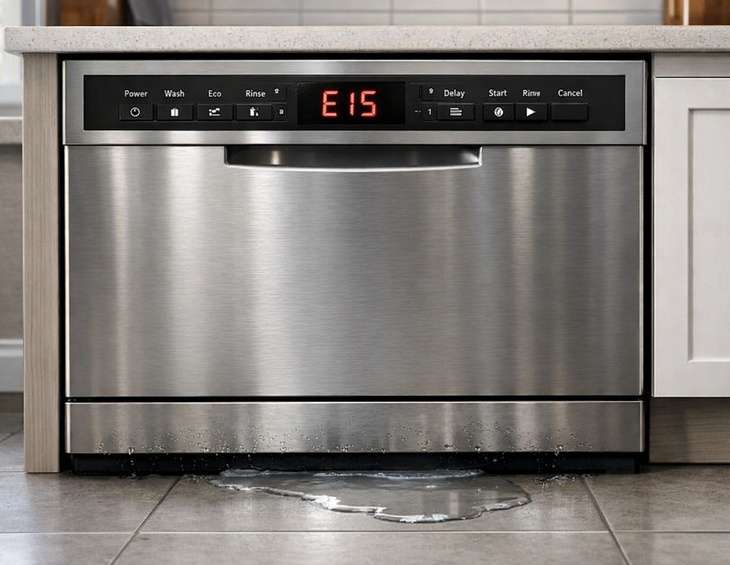
Is Samsung LC the Same as Bosch E15?
They are different brands’ warnings involving leak protection. Our Bosch E15 explanation covers that separate code; follow Samsung instructions for a Samsung dishwasher.
Samsung Dishwasher Repair Service Areas
Fast Fix Appliance Repair provides professional Samsung dishwasher repair services across Waltham, Newton, Lexington, Weston, Woburn, Billerica, Natick, Needham, Burlington, Bedford, Concord, Lincoln, Wayland, Dover, Westwood, Norwood, Dedham, and Wellesley, MA.
Explore our service locations, find answers to common questions in our FAQ section, or request a dishwasher repair assessment with your Samsung model number, LC error code, and details about suspected leaks, moisture detection, or previous troubleshooting attempts.
📞 Contact Information
Fast Fix Appliance Repair – Waltham MA
📍 Address: 14 Middlesex Rd, Waltham, MA 02452
📧 Email: fastfixapplianceservice@gmail.com
☎️ Phone: +1 (508) 733-3351
🕒 Open Hours: 8:00 AM – 8:00 PM