Samsung Dishwasher 5C Error Code: Standing Water, Backflow, and Drain Checks
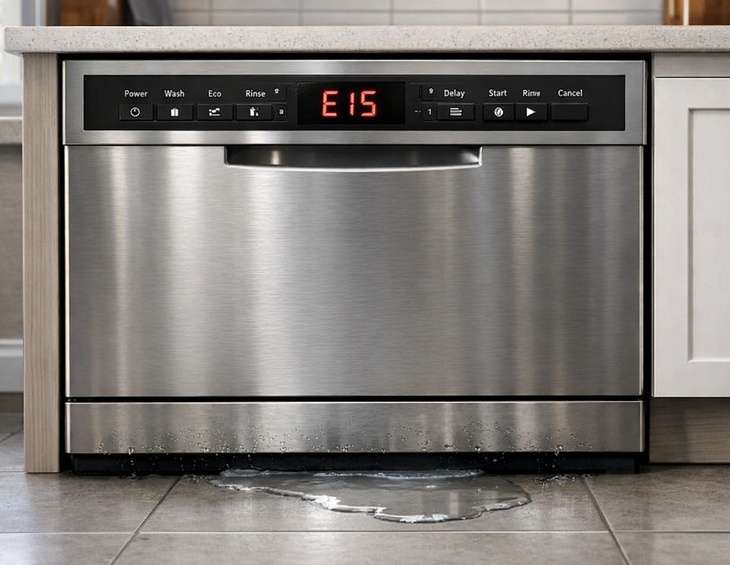
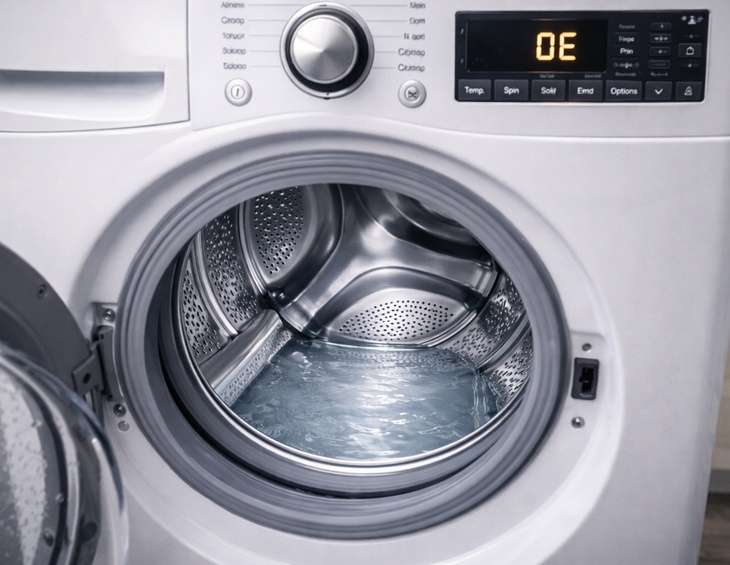
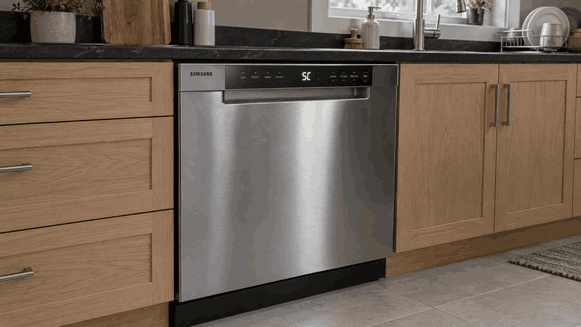
A Samsung dishwasher 5C error code means the appliance cannot drain water properly. Depending on the model, the same drainage warning may appear as 5E, SC, or SE.
Standing water, a blocked drain hose, incorrect installation, or a restricted household waste connection can prevent normal draining. However, the 5C error does not automatically mean the drain pump has failed.
Before purchasing replacement parts, check the accessible drainage path, review any recent installation work, and determine when the warning first appeared.
What Does Samsung Dishwasher Error Code 5C Mean?
Understanding the Dishwasher Drainage System
During a normal cycle, a Samsung dishwasher pumps used water out through its drain hose and into the household drainage system.
If the appliance cannot remove water as expected, it may display 5C or a related drain error.
Possible causes include:
Blocked dishwasher filters or food debris in the drain area.
A kinked or pinched drain hose restricting water flow.
Incorrect drain hose installation allowing water to flow back into the dishwasher.
A clogged kitchen sink or garbage disposal connection.
An internal drainage fault requiring professional diagnosis.
Samsung's official dishwasher drainage troubleshooting guide identifies these conditions and explains the recommended checks.
Did Samsung Dishwasher 5C Start After Installation or Sink Work?
Check Recent Dishwasher Installation Changes
The timing of a Samsung 5C drainage error can help identify where troubleshooting should begin.
A dishwasher that stopped draining immediately after garbage disposal replacement presents a different situation from an appliance that gradually developed drainage problems.
Samsung identifies several installation-related conditions that may contribute to this warning.
A Pinched or Crushed Drain Hose
A dishwasher may be positioned over its own drain hose during installation, restricting water flow.
This is an important possibility when Samsung 5C appears during the first cycles after installation.
Do not pull the dishwasher out of its cabinet without suitable assistance.
An Incorrect High Loop or Air Gap Connection
Depending on local requirements, the dishwasher drain hose may need a high loop or air gap to help prevent wastewater from flowing back into the appliance.
Incorrect routing can contribute to drainage problems and backflow.
Ask the installer to verify the configuration against the owner's manual and applicable plumbing requirements.
A Garbage Disposal Knockout Plug
If a new garbage disposal was installed, its dishwasher inlet may still contain a knockout plug.
An unopened connection can prevent dishwasher wastewater from entering the disposal.
Have the installer or plumber inspect the connection rather than dismantling powered equipment.
Our dishwasher installation service covers residential setup, drain hose positioning, and connection checks.
Check Whether the Kitchen Sink Drains Normally
Why Household Plumbing Can Trigger a Dishwasher Drain Error
A dishwasher uses the kitchen's household waste connection to remove water.
If the sink drain or garbage disposal is obstructed, the dishwasher may struggle to empty even when its internal components are operating correctly.
When it is safe to do so, observe whether the connected kitchen sink drains normally.
Samsung recommends checking the sink and garbage disposal before assuming the dishwasher itself is faulty.
When the Problem Requires a Plumber
If the sink backs up or water does not drain through the household connection, the restriction may be in the plumbing rather than the dishwasher.
Do not reach inside a garbage disposal or disconnect plumbing while equipment is energized.
A household drainage blockage may require plumbing service. If the sink drains normally but the dishwasher continues displaying 5C, further appliance diagnosis may be necessary.
For brand-specific assistance, our Samsung appliance repair in Waltham service covers drainage problems, standing water, and recurring error codes.
How to Clean the Samsung Dishwasher Filter and Drain Area
Disconnect Power Before Inspecting Accessible Components
Before reaching into the dishwasher's filter or drainage area, stop the cycle and safely disconnect power.
Allow hot water to cool and use caution around possible broken glass or sharp debris.
Remove components only when the owner's manual provides a suitable homeowner procedure.
Samsung Dishwashers With Removable Filters
Some Samsung dishwashers have removable filter assemblies that allow more thorough cleaning.
Follow the Correct Filter Cleaning Procedure
For models with removable filters:
Remove the lower rack to access the filter area.
Follow the manual's instructions for removing the filter components.
Clean accessible food debris and rinse removable filter parts as directed.
Reinstall every component correctly before operating the dishwasher.
Missing or incorrectly seated filter components can contribute to additional drainage or overflow errors.
Samsung Dishwashers With Nonremovable Filters
Not every Samsung dishwasher has the same filtration system.
If your model uses a nonremovable filter, do not pry it loose because an online demonstration shows a different design.
Clean only the accessible surfaces identified in your appliance's instructions.
Can You Inspect the Drain Pump?
Some Samsung models provide homeowner access to the dishwasher drain pump area, while others require professional disassembly.
Follow a pump inspection procedure only when the owner's manual explicitly permits it.
Do not reach into concealed mechanisms, remove electrical covers, or attempt to operate exposed components.
Cleaning the filter does not prove that the drain hose, household connection, and internal drainage system are all clear.
Why Samsung Dishwasher 5C Returns After Water Drains Once
One Successful Drain Does Not Confirm a Permanent Fix
A dishwasher may drain successfully during one attempt and display 5C again during a later cycle.
This can happen when a drainage restriction is intermittent or when water returns after the appliance has stopped.
Record when the warning appears:
At the beginning of a wash cycle.
During or immediately after washing.
Near the end of the cycle.
After the dishwasher has been idle.
After the connected kitchen sink has been used.
These details help establish whether the issue involves incomplete drainage, possible backflow, or another fault.
Standing Water After the Dishwasher Has Already Drained
If water returns to the tub after a successful drain, note whether the kitchen sink was used during that interval.
This observation can help a technician investigate possible wastewater backflow.
However, water returning to the dishwasher does not independently confirm a high-loop problem or another specific installation fault.
Do not add water to recreate the condition or repeatedly run full wash cycles simply to collect more evidence.
When Professional Diagnosis Is Necessary
If Samsung dishwasher 5C keeps returning, arrange professional dishwasher repair.
Provide the technician with details about recent installation work, previously cleaned components, and when the warning occurs.
A proper diagnosis should establish where drainage is interrupted before replacement parts are recommended.
Can You Reset Samsung Dishwasher Error Code 5C?
Troubleshoot the Drainage Problem Before Resetting
Samsung recommends identifying and addressing the condition responsible for an error before attempting to clear it.
A reset cannot remove a hose obstruction, correct improper drain routing, or securely reinstall a displaced filter.
After correcting an identified issue, follow the restart procedure specified for your exact Samsung dishwasher model.
The official Samsung dishwasher error code reference explains the difference between water-related warnings.
How Samsung 5C Differs From 4C and LC
These codes identify different conditions:
5C, 5E, SC, or SE: Dishwasher drainage problems.
4C or 4E: Water supply problems.
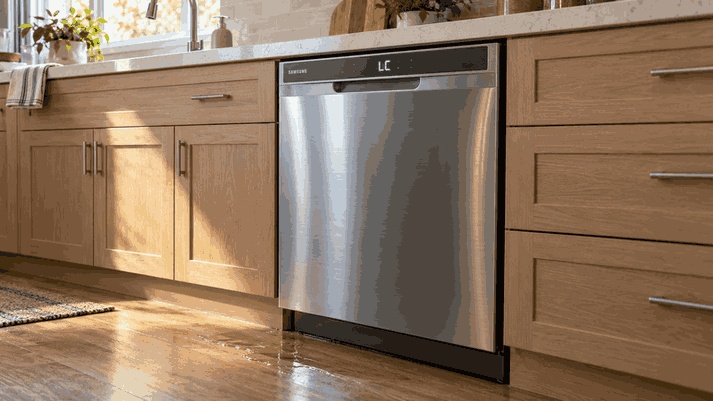
LC: Leak detection or leak-protection warning.
A drainage error, a water supply error, and a leak warning should not be treated as interchangeable troubleshooting instructions.
Photograph the complete display and report any additional codes.
If 5C remains after the permitted checks and restart, professional diagnosis is recommended.
Samsung Dishwasher 5C Error Code: Frequently Asked Questions
Common Questions About Samsung Dishwasher Drain Problems
Does a Humming Sound Mean the Drain Pump Is Broken?
Not necessarily.
A humming sound may occur while the dishwasher attempts to drain, but it does not prove that the drain pump requires replacement.
Report the sound together with the water level, error timing, and previously completed checks.
Can I Use Chemical Drain Cleaner Inside the Dishwasher?
No. Do not pour household chemical drain openers into a dishwasher.
Follow the manufacturer's cleaning instructions and have inaccessible blockages assessed by an appropriate professional.
Why Is There Water Again After My Dishwasher Emptied?
Water returning after a successful drain may indicate a possible backflow condition or another drainage problem.
Record whether water reappears after using the kitchen sink or after another dishwasher cycle.
The observation helps guide diagnosis but does not confirm the cause.
Can a Clogged Filter Cause Samsung Dishwasher 5C?
Yes. Food debris and restricted filter areas can contribute to drainage problems.
However, a clean filter does not rule out a pinched drain hose, blocked household connection, or internal component fault.
Should I Replace the Drain Pump if Samsung 5C Keeps Returning?
Not without diagnosis.
The 5C error code alone cannot establish that a replacement pump will resolve the problem.
The complete drain path should be assessed before selecting parts.
For additional information about repair estimates and service preparation, review our appliance repair FAQ.
Samsung Dishwasher Repair Service Areas
Fast Fix Appliance Repair provides professional Samsung dishwasher repair services across Waltham, Newton, Lexington, Weston, Woburn, Billerica, Natick, Needham, Burlington, Bedford, Concord, Lincoln, Wayland, Dover, Westwood, Norwood, Dedham, and Wellesley, MA.
Request Professional Samsung Dishwasher Repair
Explore our service locations or request a dishwasher repair assessment.
When contacting our team, provide your Samsung dishwasher model number, 5C error code, and details about standing water, drainage problems, unusual pump noises, or previous installation work.
These observations can help the technician identify the appropriate starting point for inspection.
Contact Information
Fast Fix Appliance Repair – Waltham MA
Address: 14 Middlesex Rd, Waltham, MA 02452
Email: fastfixapplianceservice@gmail.com
Phone: +1 (508) 733-3351
Open Hours: 8:00 AM – 8:00 PM